The Arkenforge Toolkit now supports importing .dungeondraft_pack files! If you’re a creator that distributes Dungeondraft Asset Packs, then this article is for you.
How do I set my asset packs to be usable in the Arkenforge Toolkit?
Allowing content packs to be used in the Arkenforge Toolkit requires setting an option when creating the pack. This option, or ‘flag’, is a variable in the Pack.json file of the Dungeondraft asset pack. This flag tells us whether or not your pack can be used outside of Dungeondraft.
Megasploot, creator of Dungeondraft, has graciously included a flag in the Dungeondraft packs that allows third parties to import content. Without this flag set, your content packs can not be used in Arkenforge.
How to set the flag
Allowing your packs to be imported into Arkenforge is a very simple process. All it requires is is setting the ‘allow_3rd_party_mapping_software_to_read’ value in the pack from ‘false’ to ‘true’. That’s all! One simple change, and your existing content packs can be loaded into the Arkenforge Toolkit.
There’s a few ways to do this, depending on how you assemble your content pack.
From within Dungeondraft
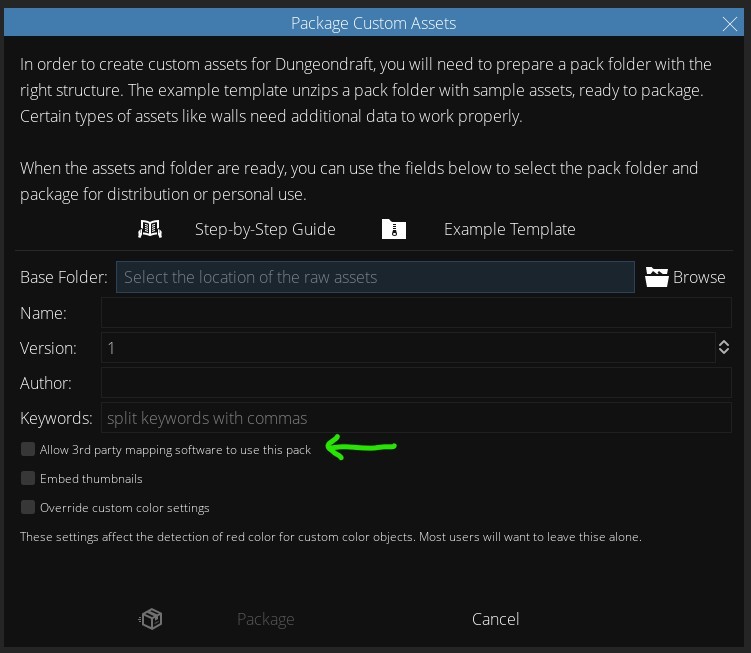
If you’re using Dungeondraft’s own ‘Package custom assets’ feature, you’ll want to enable the ‘Allow 3rd party mapping software to use this pack’ checkbox.
Using a pack builder
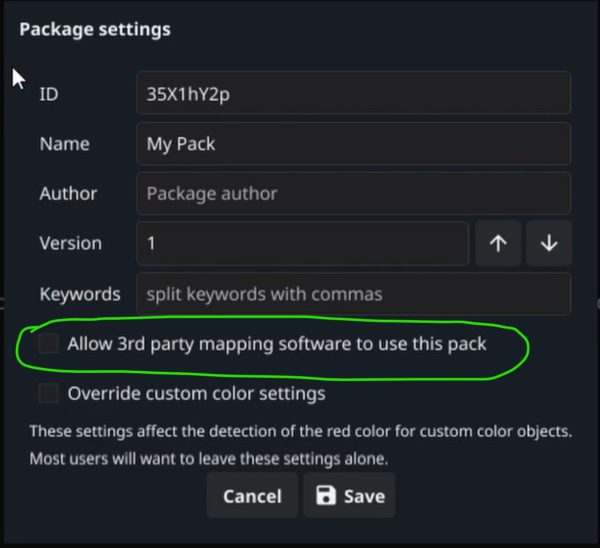
Any third party Dungeondraft Pack Builder tool should have the same option available. Enabling this option will allow the Arkenforge Toolkit to import your pack.
Pictured here is Ryex’s GoPackager, available at https://github.com/Ryex/Dungeondraft-GoPackager/releases/
Modfiying the Pack.json file directly
If you’re creating your own Pack.json file, you’ll need to include the variable ‘allow_3rd_party_mapping_software_to_read’, and set it to TRUE.
What will your content look like inside Arkenforge?
We do our best to ensure that your content matches how it appears in Dungeondraft, while also making them integrate seamlessly with our map building features. Both Dungeondraft and Arkenforge use a 256×256 grid, so your assets should appear at their native size with the Arkenforge Toolkit.
First, we organise your assets into a set folder structure. Then, we set Textures as Tile placement types by default, and walls and paths as Line placement types. We also support recolouring. Any assets in the colorable folder will have their red channel recolourable via our Chroma Key function.
As your assets are treated the same as all other Arkenforge content, users can also use our vast range of map customisation features. This means users can fully recolour your content, not to mention adding animated using our effects system, or lighting and sound effects (and more!).
What if I don’t want my content usable in the Arkenforge Toolkit?
We care strongly about the rights of artists here at Arkenforge. Some creators have only licensed their content for use in Dungeondraft. That’s a position we 100% respect. For that reason, the Arkenforge Toolkit can only import your packs if you have allowed them to be.
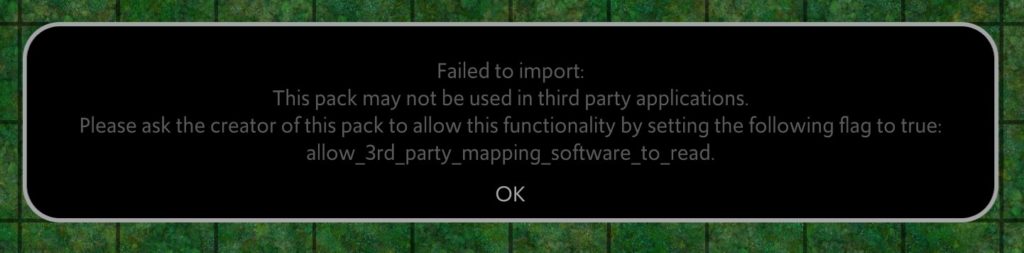
If you have not allowed your pack to be usable in software outside of Dungeondraft, users will see the following message when they try to import it into the Arkenforge Toolkit.
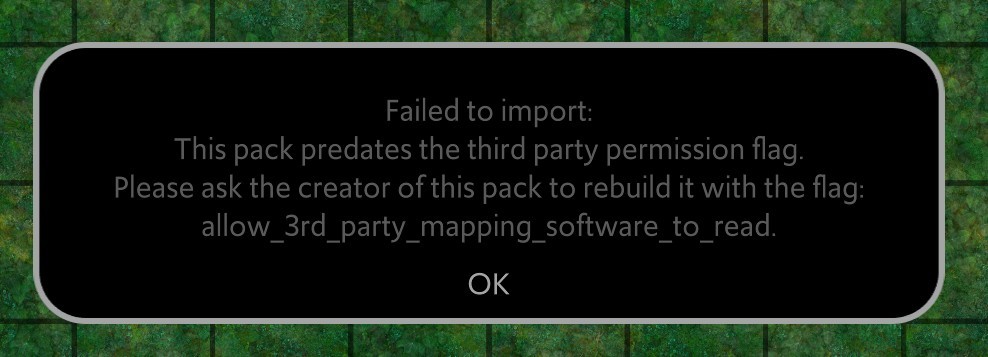
If you have older content packs that pre-date the ability to opt-in to non-Dungeondraft importing, you need not worry. We won’t import those either.
That’s it!
Don’t hesitate to reach out if you have any follow-up questions. You an reach me at nathan@arkenforge.com.
I hope that this information has helped to make your Dungeondraft asset packs Arkenforge Toolkit-ready 🙂